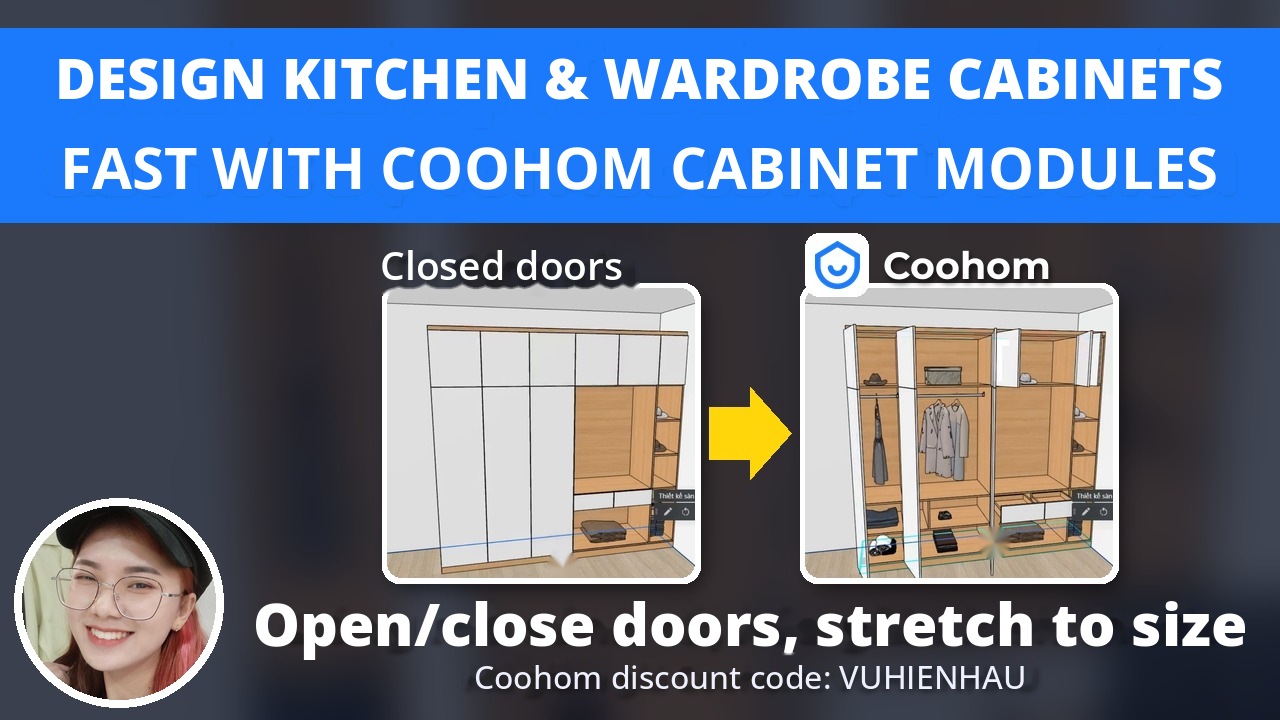
Do you work in construction and want to design kitchen and wardrobe cabinets quickly so it’s easier to close deals with clients? Coohom has a cabinet module with doors that open and close, and you just drag to resize while the wood panels adjust to match. In this post I go over those features.
🎁 Coohom discount code: VUHIENHAU – enter this code at checkout to get an extra 10% off Coohom.
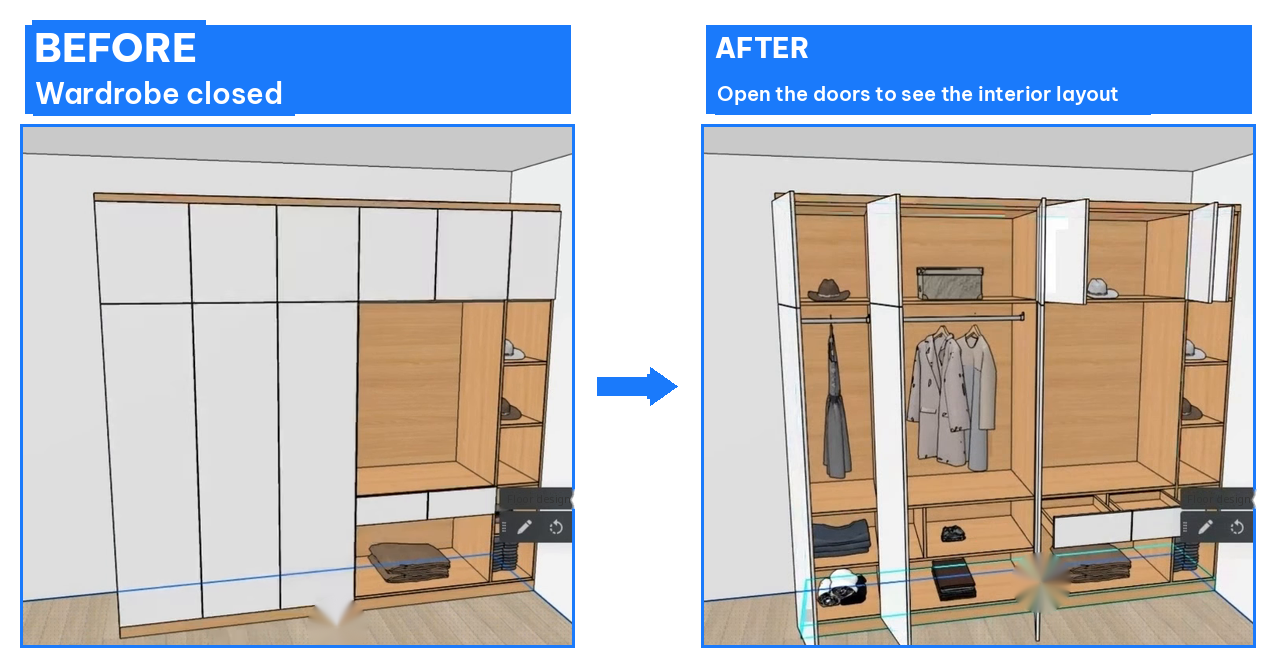
I. Open and close wardrobe doors so clients can picture the structure
Cabinet doors in Coohom can be opened and closed right in 3D. When you open the wardrobe, clients can see its structure at a glance: how many drawers and compartments are inside. Many clients want to customize things their way, and with only an outside 3D view it’s very hard for them to picture, which makes it hard for you to close the deal. So this feature is really useful for builders.
II. Open and close kitchen cabinets
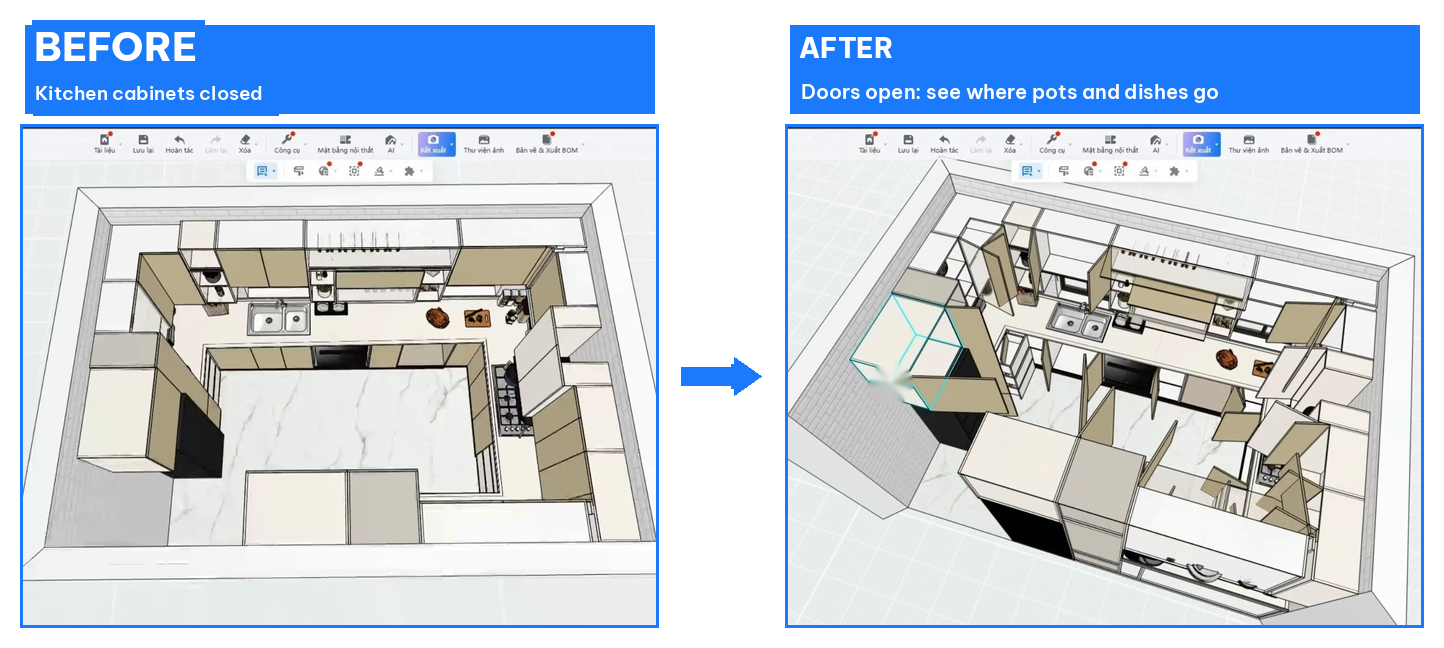
Kitchen cabinets work the same way: open and close the doors so clients can see at a glance where the pots and pans go and where the bowls and chopsticks go.
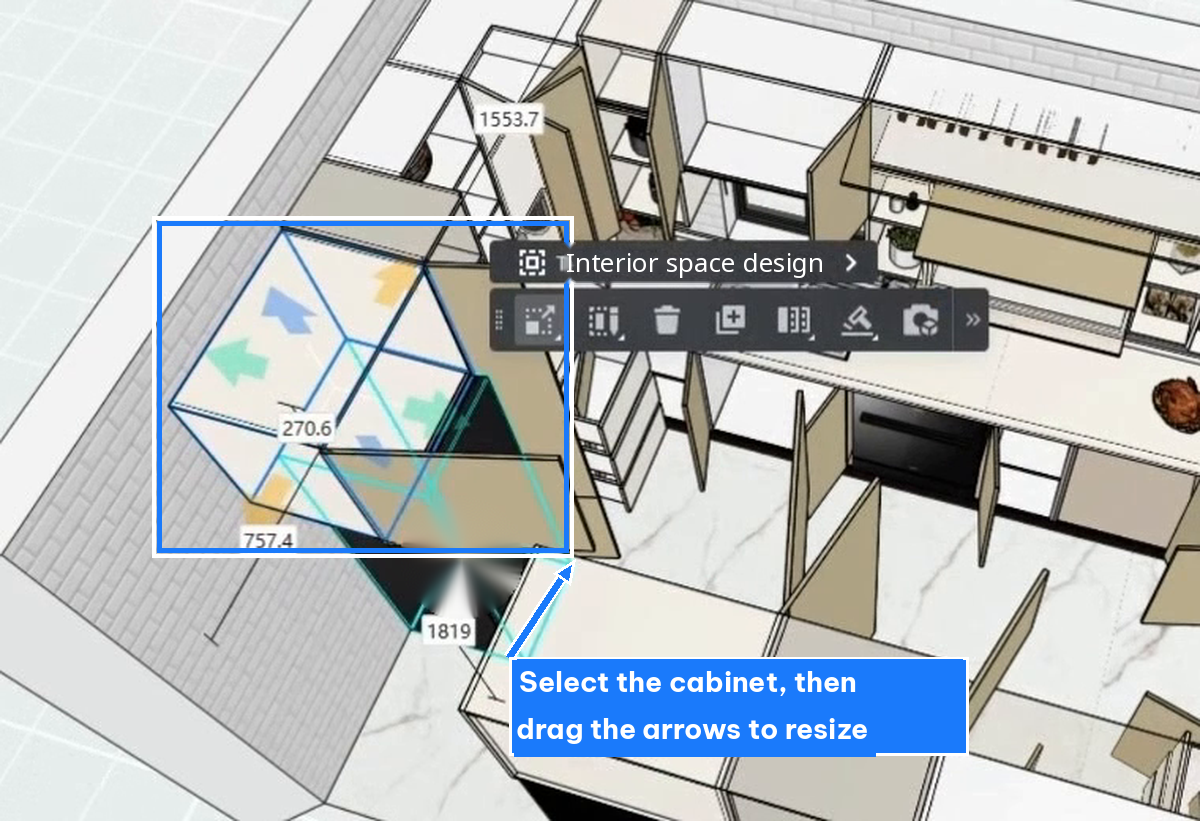
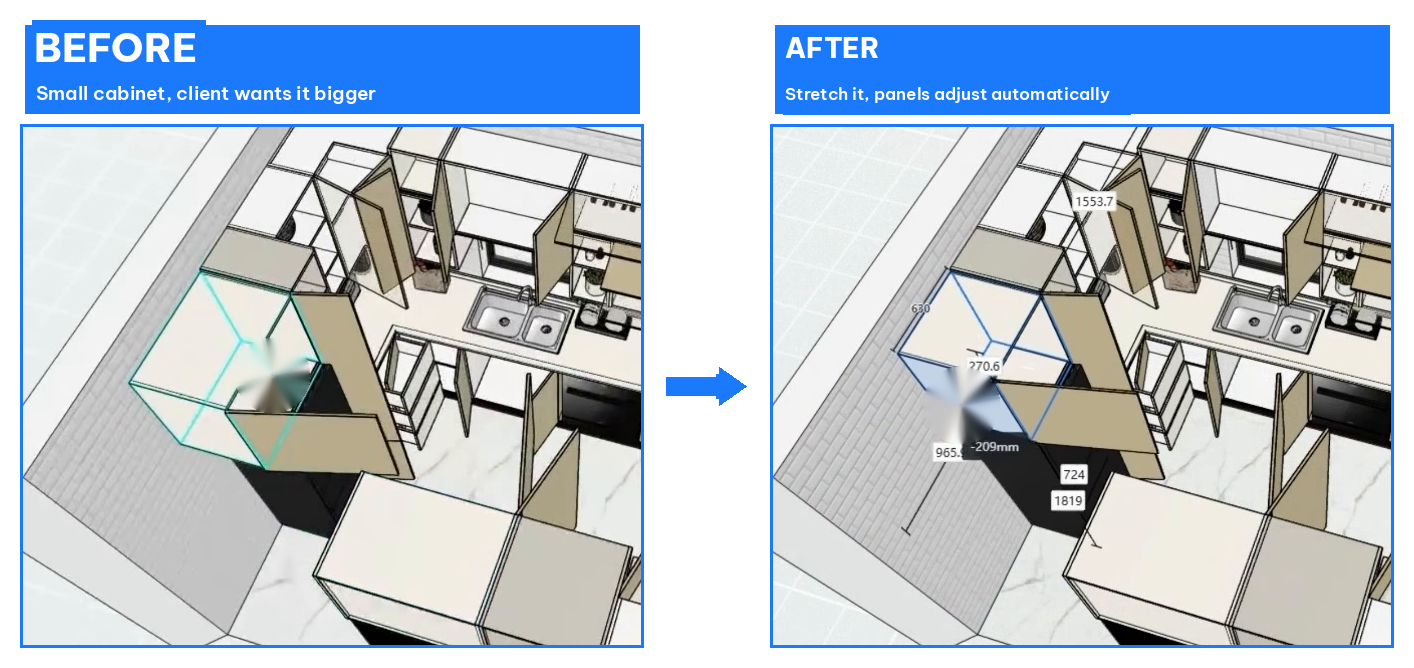
III. Drag to resize cabinets
This is the best feature of all. Say a client thinks a cabinet is too small and wants a bigger one. Normally you’d have to redraw the whole cabinet system, but here you just select the cabinet and drag the resize arrows, and the doors and wood panels change with it, incredibly fast.
If you’re new to Coohom, read this post: https://vuhienhau.com/en/guide-to-installing-and-using-coohom/
For a good price on Coohom Pro, see my post on buying Coohom: https://vuhienhau.com/en/buying-support-coohom-pro-and-elite/
Good luck!
Detailed video tutorial:
Watch the quick tutorial video on Facebook 👉 https://www.facebook.com/reel/1390324172498176
I can help you buy Coohom Pro for $102.58/year and Elite for $430/year. If you’re interested, message me on WhatsApp: +84359864135. Apply the code VUHIENHAU to get a discount when buying Coohom.
You May Also Like:

_____________________________________
🔥 COOHOM COURSE – BASIC + ADVANCED + RENDERING:
Learn presentation rendering and 3D modeling for both interiors and exteriors. Design a complete house by the time you finish the course.
👉 Tuition: $69
👉 Course information: https://vuhienhau.com/en/course/advanced-coohom/
👉 Enroll via our Facebook Fanpage: https://facebook.com/VuHienAcademy or WhatsApp: +84359864135