Normally, when you open a drawing in AutoCAD, you can only use it on 1 screen, and the second screen sits unused. If you want multiple views, you can only use the Viewport feature to split into 2 to 4 views, which still doesn’t make use of your second screen. The VinaCAD software has a feature that lets you open 1 drawing on 2 screens and work on both at once. Here’s how to do it.
I. Open the drawing with VinaCAD
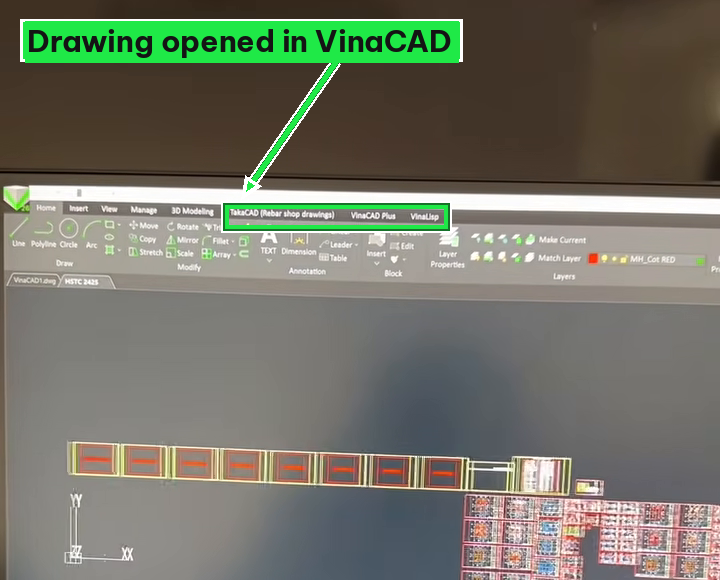
Right-click the drawing file → Open with → choose VinaCAD. The drawing opens in VinaCAD right away.
If you don’t have VinaCAD yet, go to the website https://www.vina-cad.com/en to download it, or see the step-by-step guide to downloading & installing VinaCAD: https://vuhienhau.com/en/step-by-step-guide-download-install-vinacad-trial-version/
II. Open an extra view on the second screen
- Go to the View tab → choose 3D View.
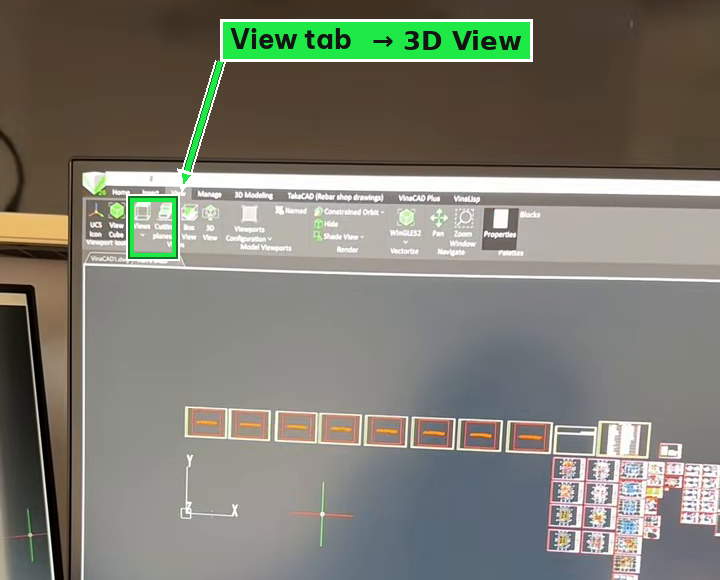
- An extra view instantly appears on the second screen. This view is a 3D view.
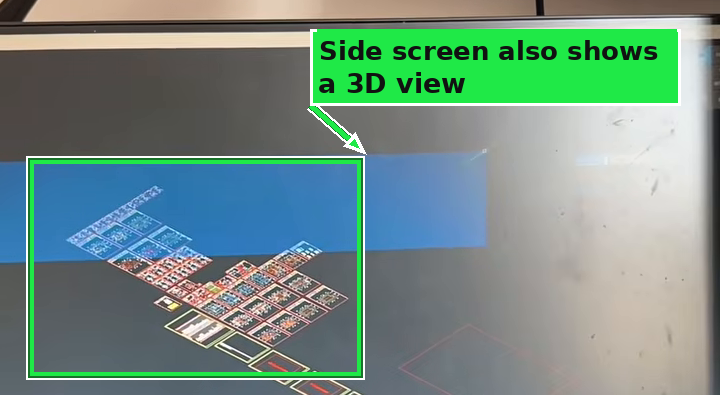
- You can switch this view to Top (looking down from above) or keep it in 3D, depending on your needs.
III. Drawing and checking at the same time
I tried drawing a rectangle on the main screen. On the other screen, the rectangle appears immediately. Switching to 3D shows the update right away too.
So you can use 2 screens to draw and observe at the same time. Pretty handy, right?
Good luck!
Detailed video tutorial:
VinaCAD purchase link. Click this link to get the discount 👉 https://www.vina-cad.com/en/pricing/VINACAD&VINACAD_WEB&vinataka&TAKACAD?affiliateId=6ea544e5-01f3-4053-924a-e6d99731fdd9
The default price of the full-featured VinaCAD (VinaCAD Standard plan) is $99/license/year. Buy through the link or apply the code VUHIENHAU to get the discount and pay only $81/license/year. If you need help buying, or want to buy in bulk, message me on WhatsApp: +84359864135
You May Also Like:




_____________________________________
🔥 VINACAD IN PRACTICE COURSE A-Z:
Beyond showing you how to use VinaCAD professionally, the course also shows how to apply what you’ve learned to specific fields, so you can easily put it to work in your job.
👉 Tuition: $69
👉 Course information: https://vuhienhau.com/en/course/vinacad-a-z/
👉 Enroll via our Facebook Fanpage: https://facebook.com/VuHienAcademy or WhatsApp: +84359864135