
Want to view 2D AutoCAD files, 3D Revit models and full Navisworks projects on both computer and phone without installing any software? The VinaCAD website lets you do exactly that, with just 1 link. Here’s how.
Step 1: Log in to your VinaCAD account
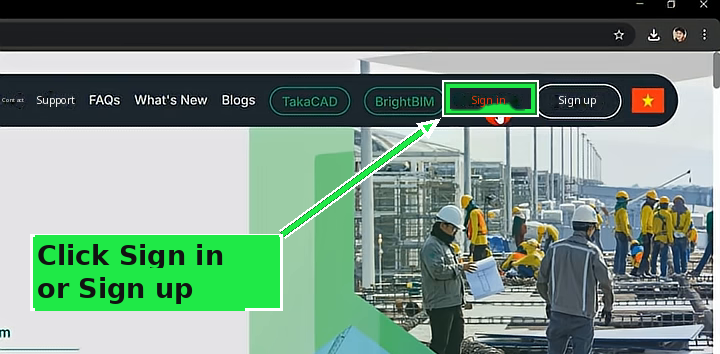
Go to the website https://www.vina-cad.com/en and click Log in or Sign up. Fill in your information to register and log in.
Step 2: Upload your file
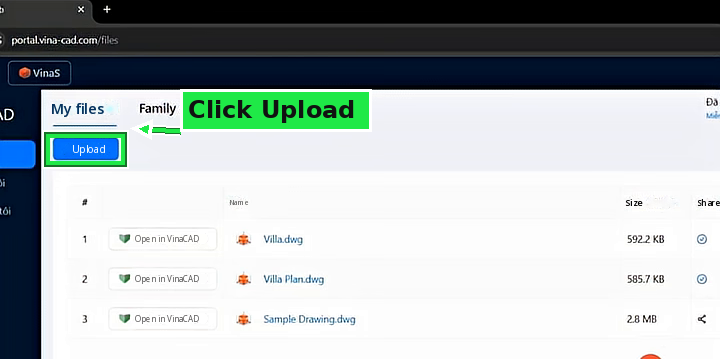
After logging in, on the file management page (https://portal.vina-cad.com/files) click Upload.
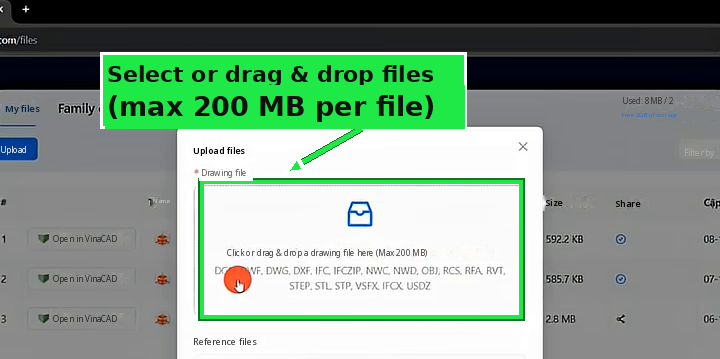
This page lets you upload many file types, such as AutoCAD DWG and DXF files, IFC BIM files, Navisworks NWD and NWC files, Revit RVT and RFA files… up to 200 MB per file.
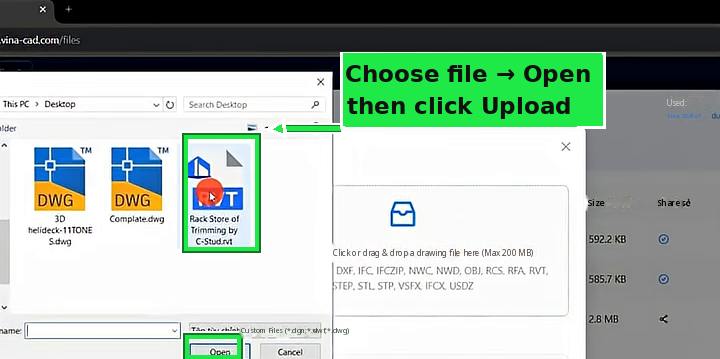
Select the file → click Upload. I tested it with 2 AutoCAD files and 1 Revit file, uploading them one at a time.
Step 3: Share the link to view
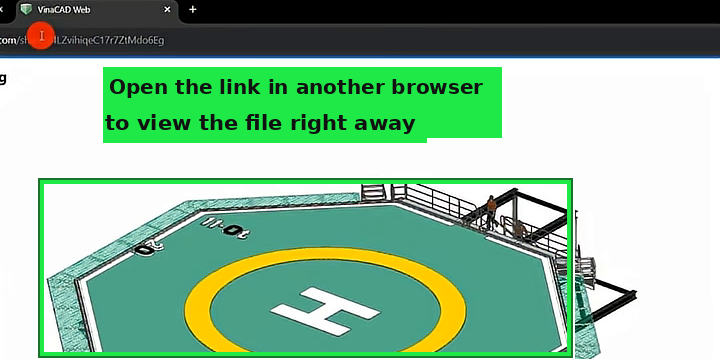
Click the file’s Share icon → copy the link. Paste this link into another browser or send it to someone and the file can be viewed right away.
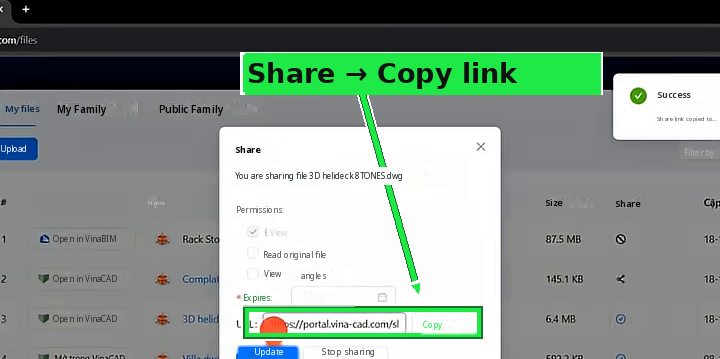
The person who receives the link doesn’t need to download an app or install any software, and can open it on both computer and phone. It’s very handy for quickly sending drawings to clients and colleagues.
If you want to use VinaCAD for drawing, see the step-by-step guide to downloading & installing VinaCAD: https://vuhienhau.com/en/step-by-step-guide-download-install-vinacad-trial-version/
Good luck!
Detailed video tutorial:
VinaCAD purchase link. Click this link to get the discount 👉 https://www.vina-cad.com/en/pricing/VINACAD&VINACAD_WEB&vinataka&TAKACAD?affiliateId=6ea544e5-01f3-4053-924a-e6d99731fdd9
The default price of the full-featured VinaCAD (VinaCAD Standard plan) is $99/license/year. Buy through the link or apply the code VUHIENHAU to get the discount and pay only $81/license/year. If you need help buying, or want to buy in bulk, message me on WhatsApp: +84359864135
You May Also Like:



_____________________________________
🔥 VINACAD IN PRACTICE COURSE A-Z:
Beyond showing you how to use VinaCAD professionally, the course also shows how to apply what you’ve learned to specific fields, so you can easily put it to work in your job.
👉 Tuition: $69
👉 Course information: https://vuhienhau.com/en/course/vinacad-a-z/
👉 Enroll via our Facebook Fanpage: https://facebook.com/VuHienAcademy or WhatsApp: +84359864135