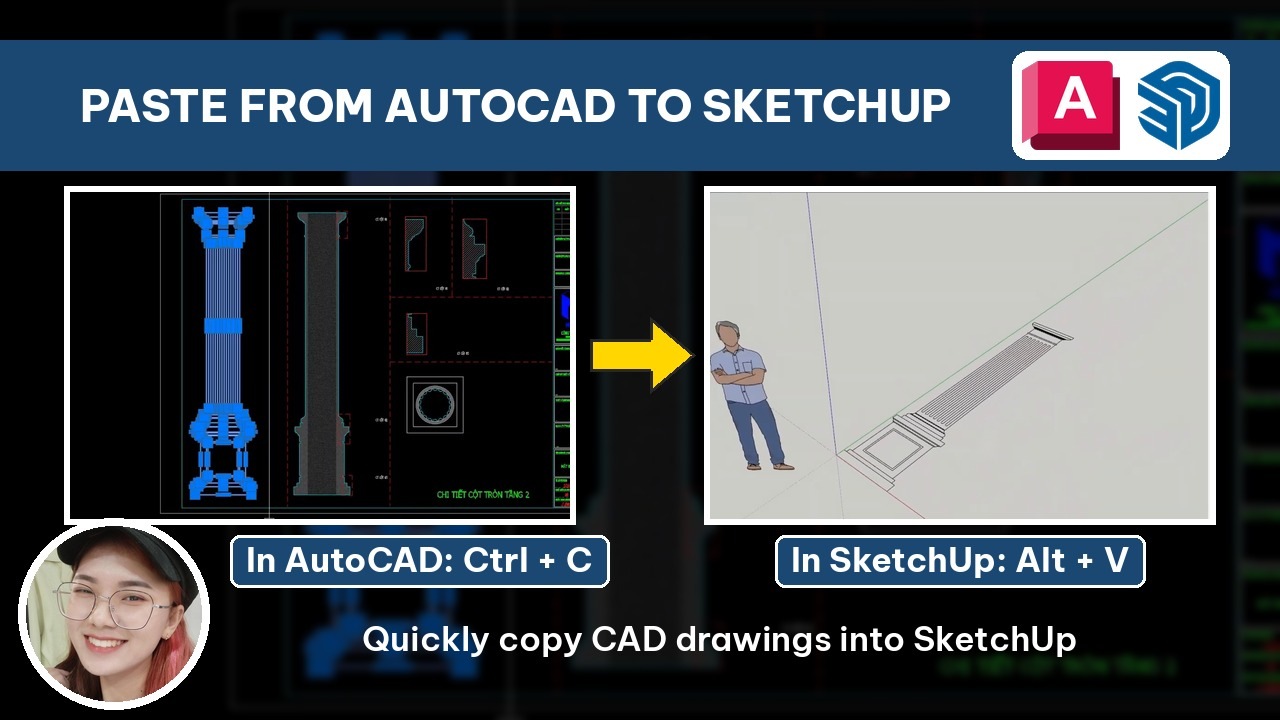
The Paste from AutoCAD SketchUp plugin lets you quickly copy and paste CAD drawings into SketchUp. Normally, to separate out a drawing and bring it into SketchUp, you’d use the LAYOFF command to turn off the unneeded layers, select the objects, use the WBLOCK command to save them as a new drawing, then go to SketchUp, find that file again and drag and drop it in or Import it, right? That takes far too much time. Use this plugin instead.
SketchUp Vietnam has launched the new Training Enterprise plan for just $141/year. Learn more about the plan here: https://vuhienhau.com/en/what-is-sketchup-training-enterprise-price-features-how-to-buy/
I. Download the Paste from AutoCAD plugin
👉 Download link for the Paste from AutoCAD plugin: https://drive.google.com/file/d/18eE_33nGrxC-rAhl00lGp7FEONdyqovr/view?usp=sharing
For how to install the plugin in SketchUp, see the post on the complete SketchUp plugin set you install once and use right away, with a guide: https://vuhienhau.com/en/complete-sketchup-plugin-set-install-once-with-guide/
II. Set a keyboard shortcut for the plugin
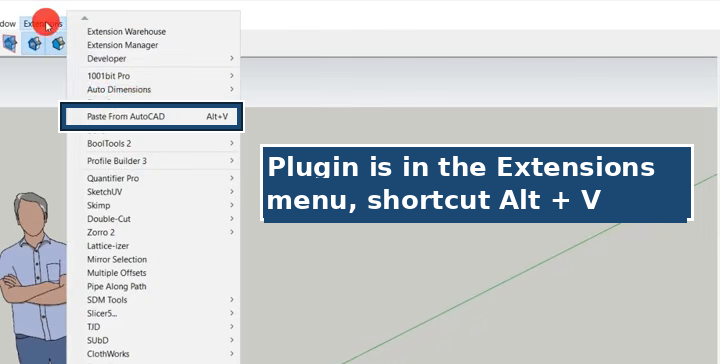
Set a keyboard shortcut for the plugin so you can use it quickly. I set mine to Alt + V. Go to Window → Preferences → Shortcuts, find the plugin named Paste from AutoCAD and assign a shortcut.
III. How to use
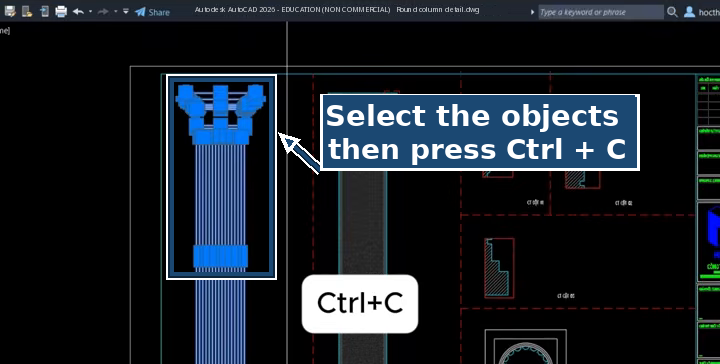
- In AutoCAD, window-select the objects you want to bring into SketchUp → press Ctrl + C.
- Switch to SketchUp and press Alt + V. That’s it.
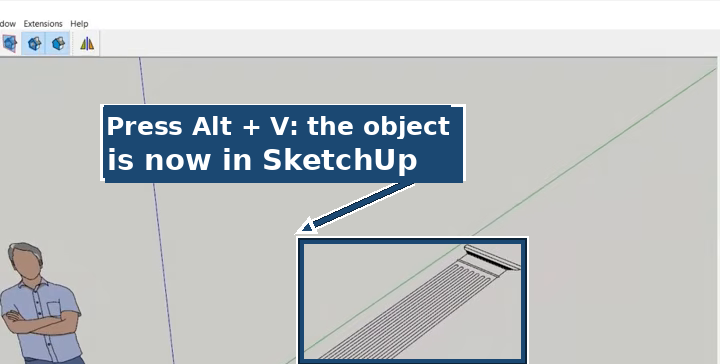
You instantly have those objects in SketchUp. Pretty fast, right?
See also my roundup of useful SketchUp plugins with download links & user guides: https://vuhienhau.com/en/useful-sketchup-plugins-with-download-links-and-user-guides/
Good luck!
Detailed video tutorial:
You May Also Like:

_____________________________________
🔥 SKETCHUP IN PRACTICE: 3D MODELING COURSE:
Learn to use plugins hands-on to model gates, doors, railings, CNC patterns, townhouses, villas, and interior furniture such as wardrobes, kitchen cabinets, shelving…
👉 Tuition: $69
👉 Course information: https://vuhienhau.com/en/course/sketchup-3d/
👉 Enroll via our Facebook Fanpage: https://facebook.com/VuHienAcademy or WhatsApp: +84359864135