Once you’ve paid for VinaCAD, just sign in with the account you bought it with and you’re ready to go.
1. Where does the license go after you pay?
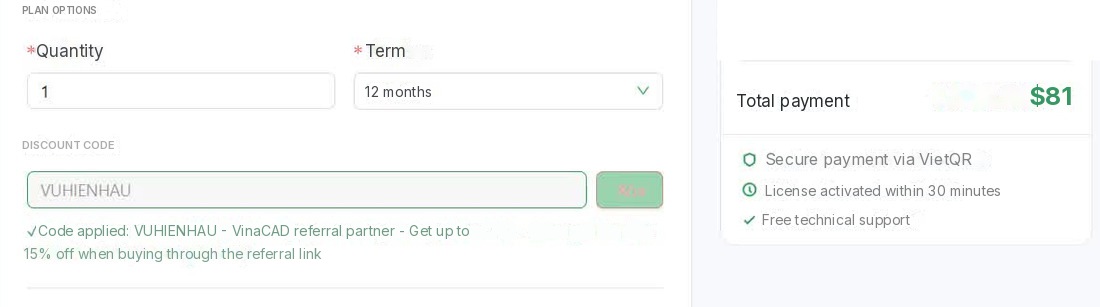
When you buy through my link, the license is tied to the account/email you entered when ordering. You don’t receive a separate key file from a stranger. After a successful payment, you sign in with that account to use the plan you bought (for single purchases, the price is $81/computer/year with code VUHIENHAU).
VinaCAD purchase link. Click this link to get the discount 👉 https://www.vina-cad.com/en/pricing/VINACAD&VINACAD_WEB&vinataka&TAKACAD?affiliateId=6ea544e5-01f3-4053-924a-e6d99731fdd9
2. Activation steps after purchase
Step 1: Choose the VinaCAD Standard plan, check that the price is $81/year (enter code VUHIENHAU if the discount isn’t applied), then click Buy Now.
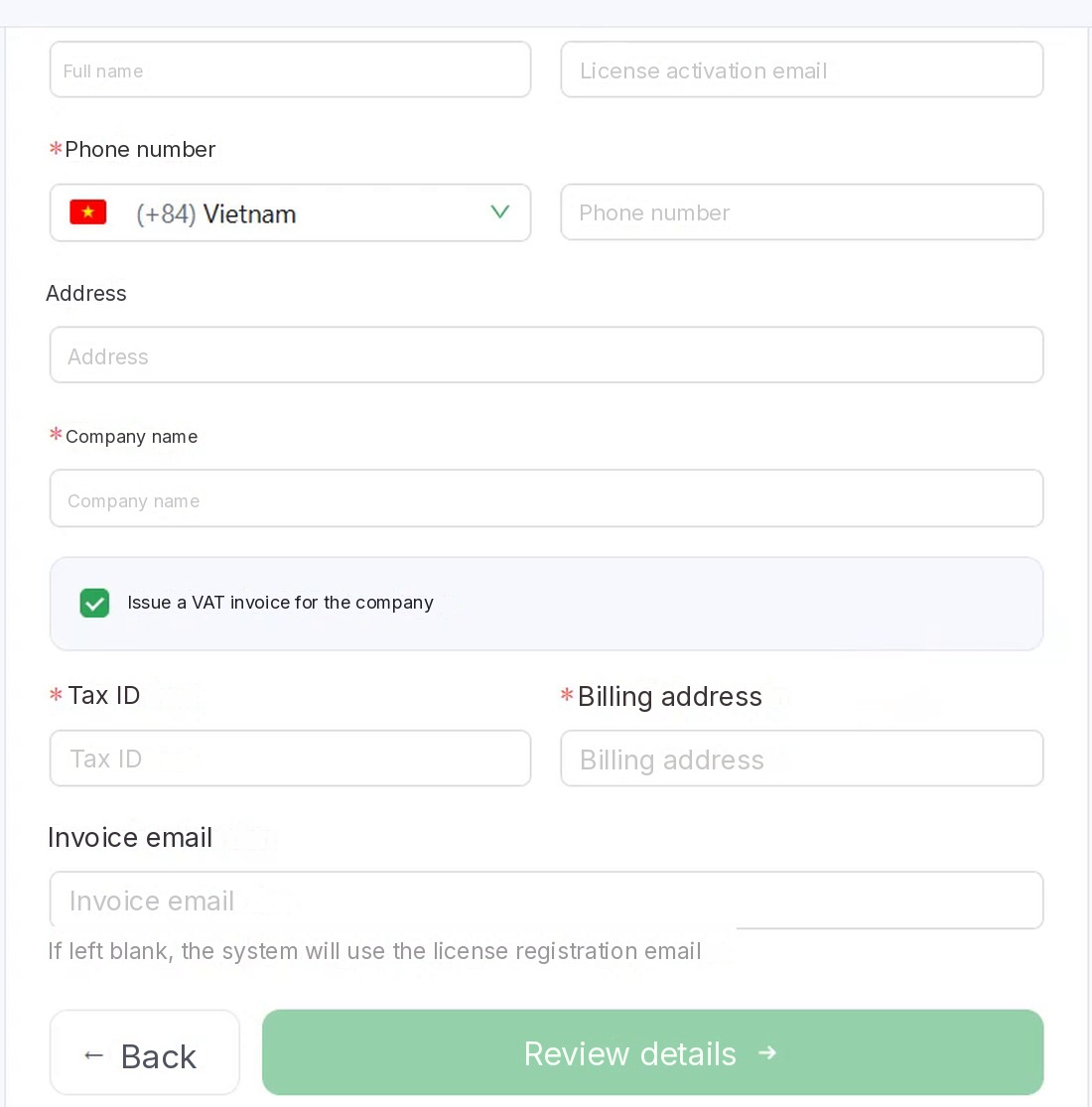
Step 2: Fill in all the required fields (*), especially your email. If your company needs an invoice, choose the Company tab, tick VAT invoice, and enter your tax ID and the email to receive the invoice.
Step 3: Click Review details, check the plan, amount and email, then click Pay and scan the QR code to transfer exactly the amount on the order.
Step 4: Keep the receipt or the payment success screen. Sign in with the email you bought with, then download and install VinaCAD to use what you paid for.
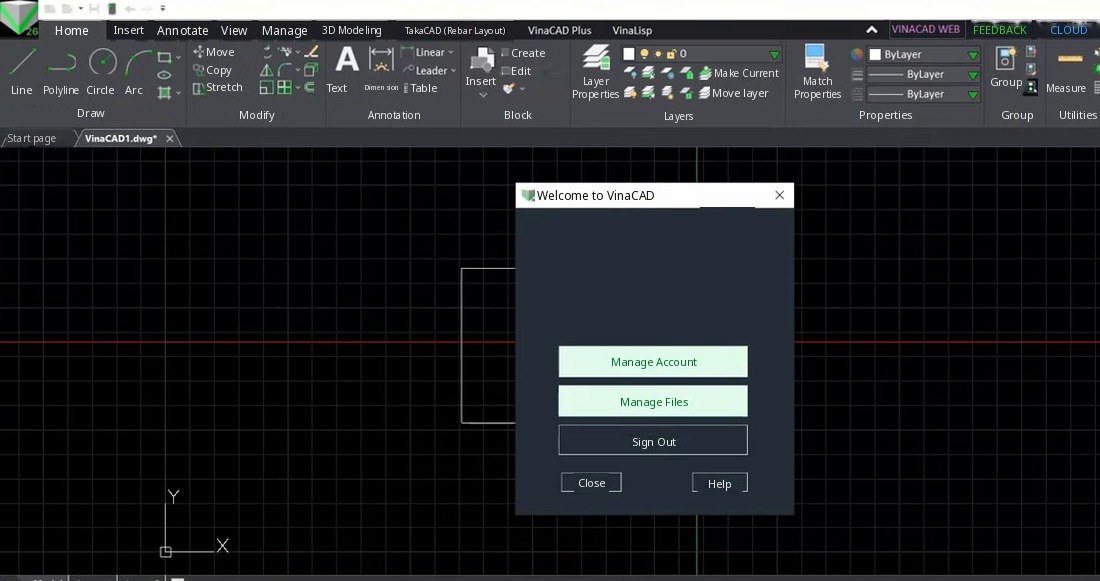
Step 5: Sign in with the account you bought with to use the Standard plan you paid for. Don’t install unknown activation files.
I show the Buy Now, Review details and Pay buttons and the QR flow in my purchase walkthrough video: https://www.facebook.com/reel/1915350959875254/. The VAT invoice is sent at the end of the day after payment. The license is tied to the account you bought with: sign in with that account and you can use it.
The default price of the VinaCAD Standard plan without the code is $99/year. If you buy fewer than 10 licenses through the link or apply code VUHIENHAU, it comes down to $81/computer/year. To buy in bulk, message me on WhatsApp: +84359864135 for a quote.
Good luck!
3. Bulk VinaCAD pricing
Vu Hien – HAU is VinaCAD’s exclusive discount-code KOL, so buying in bulk through Vu Hien – HAU costs less.
The original price of the VinaCAD Standard plan is $99/license/year, with volume discounts when you buy through KOL Vu Hien – HAU.
| Number of licenses | Discount | Price/license/year | Example total/year |
| Fewer than 10 (1 computer) | 15% | $81 | $81 |
| Fewer than 10 (5 computers) | 15% | $81 | $405 |
| 10 to fewer than 20 (10 computers) | 17% | $82.17 | $821.70 |
| 20 to fewer than 50 (20 computers) | 20% | $79.20 | $1,584 |
| 50 to fewer than 100 (50 computers) | 23% | $76.23 | $3,811.50 |
| 100 or more (100 computers) | 25% | $74.25 | $7,425 |
If you’re buying 10 or more licenses, message me on WhatsApp at +84359864135 to lock in the right discount through KOL Vu Hien – HAU (VinaCAD’s exclusive discount-code KOL).
CONCLUSION
Once you’ve paid, sign in with the account you bought with to use VinaCAD. Don’t wait for, or buy, an extra key from anywhere else.
After activating, if you want to learn to use it properly, I have the VINACAD IN PRACTICE: A-Z course, tuition $69: https://vuhienhau.com/en/course/vinacad-a-z/.
You May Also Like:



_____________________________________
🔥 VINACAD IN PRACTICE COURSE A-Z:
Beyond showing you how to use VinaCAD professionally, the course also shows how to apply what you’ve learned to specific fields, so you can easily put it to work in your job.
👉 Tuition: $69
👉 Course information: https://vuhienhau.com/en/course/vinacad-a-z/
👉 Enroll via our Facebook Fanpage: https://facebook.com/VuHienAcademy or WhatsApp: +84359864135