
While working in AutoCAD, for some reason the Align command may stop working. In this post I’ll show you how to fix it when this happens. The fix takes 2 steps. This is also the general method for fixing the loss of some AutoCAD commands
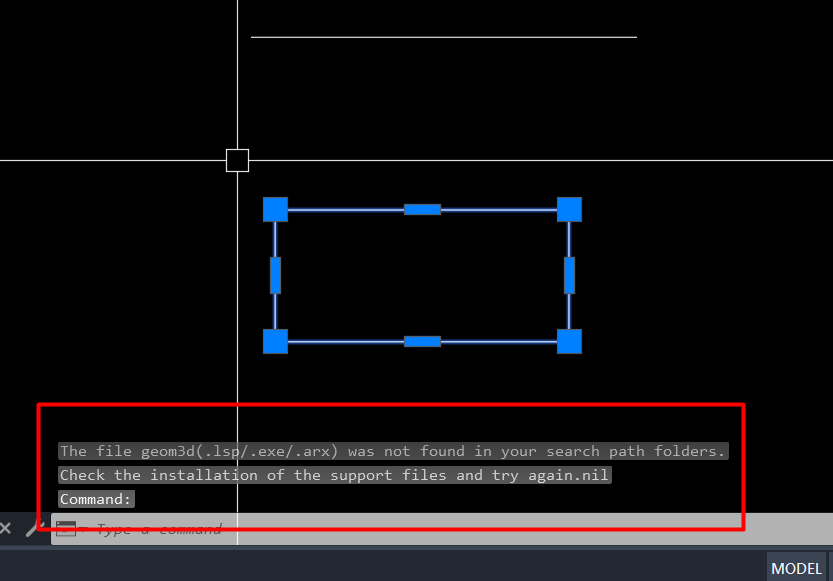
I. Use the ARX command to enable the ALIGN command
Most AutoCAD commands are supplied as add-ons in the form of CRX/ARX/… files. So when a command goes missing, you can look for the related CRX files to get it back. In the case where the Align command isn’t working, the CRX file we need to find is geom3d.crx or geom3d.arx
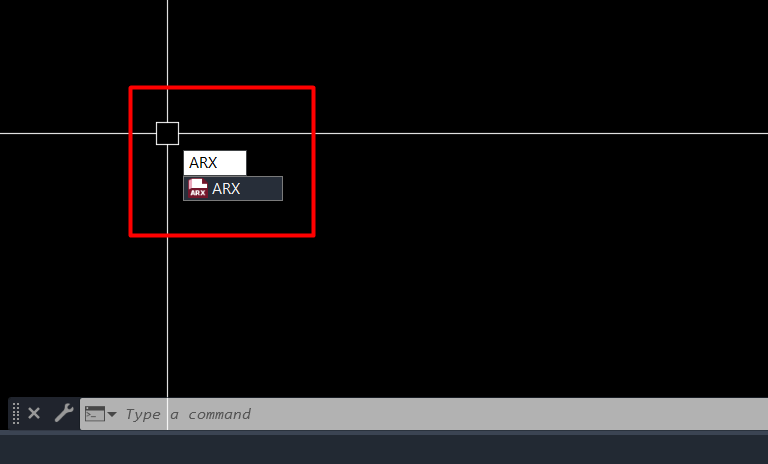
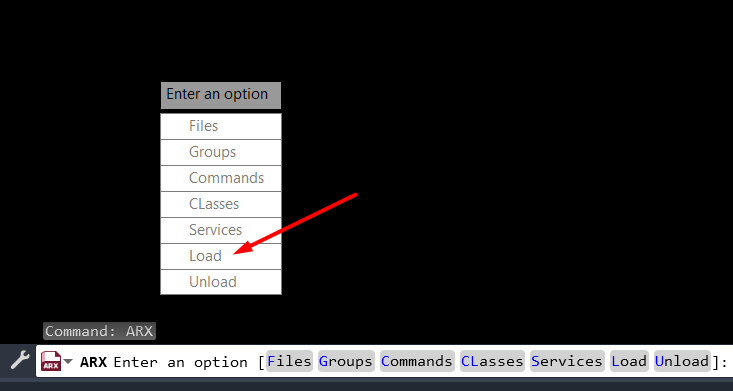
Type the command ARX -> Enter. Click Load
A window appears that lets us choose a file; choose geom3d.crx or geom3d.arx and click Open
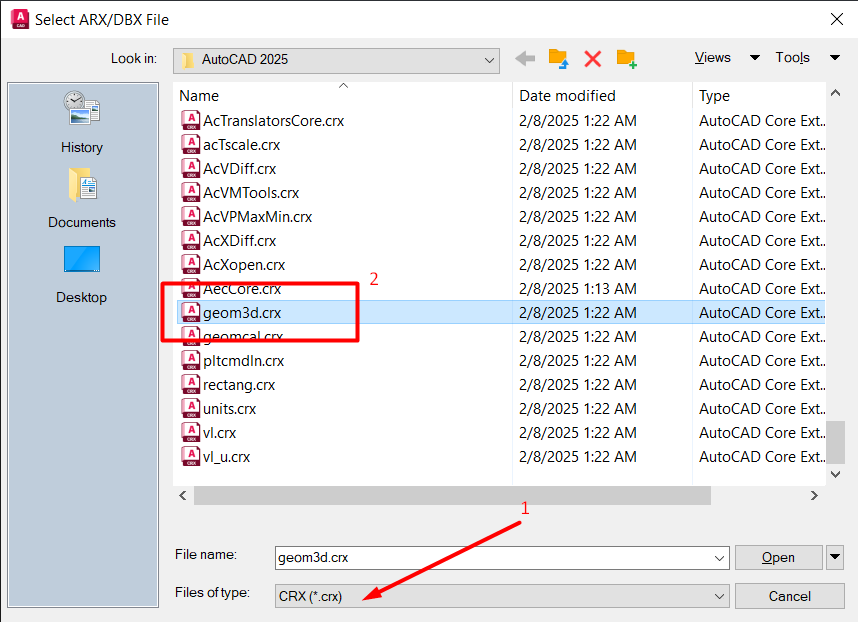
After this step, we can use the ALIGN command. However, if we skip step 2, the ALIGN command will stop working again when we restart AutoCAD. So we need to make AutoCAD load the file geom3d.crx automatically, as follows
II. Set up automatic loading of geom3d.crx
Type the command APPLOAD and the Load Application window appears.
Then click Contents and the Startup Suite window appears
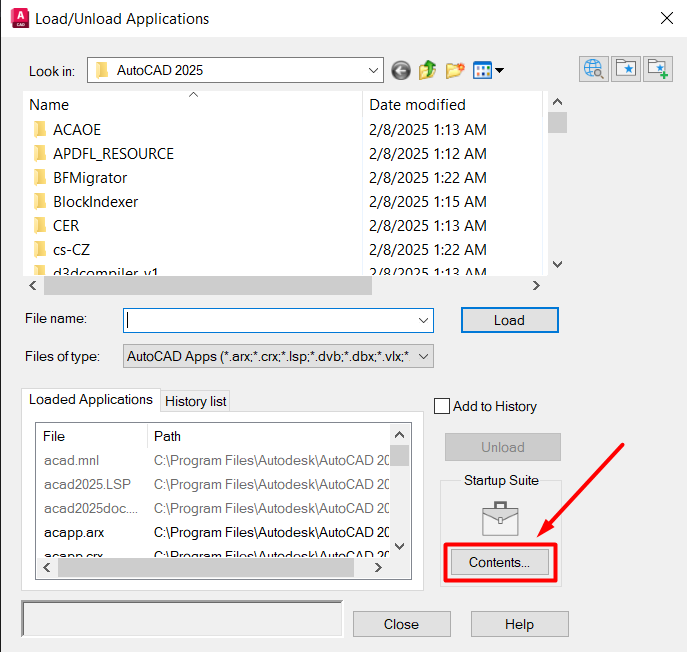
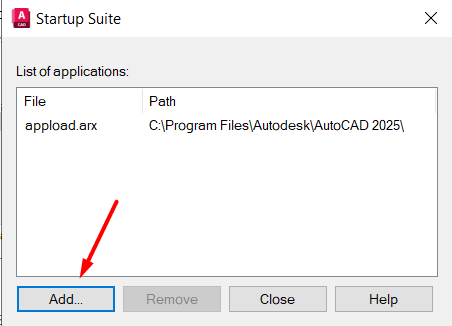
Click Add, then find and choose the file geom3d.crx or geom3d.arx
After this step, the file geom3d.crx will be loaded automatically every time we start AutoCAD
Good luck!
If you found this article helpful, you can support me by buying the Complete AutoCAD Resource Pack. It includes books, libraries, fonts, hatches, lisp, templates, sample projects, ISO standards and more, which I’ve put together and curated from my years of teaching and real-world work. Price: $15. Buy and pay at this link: 👉https://vuhienhau.com/en/san-pham/complete-autocad-resource-pack/
You May Also Like:
 Complete AutoCAD Resource Pack$15View now
 [ATOC] Auto Drawing List$25 $10View now
 [QD] Fast Dimensioning$25 $10View now
 [D2P] Batch Plot$25 $10View now
 BECOME A PROFESSIONAL AUTOCAD USER$109 $69View now
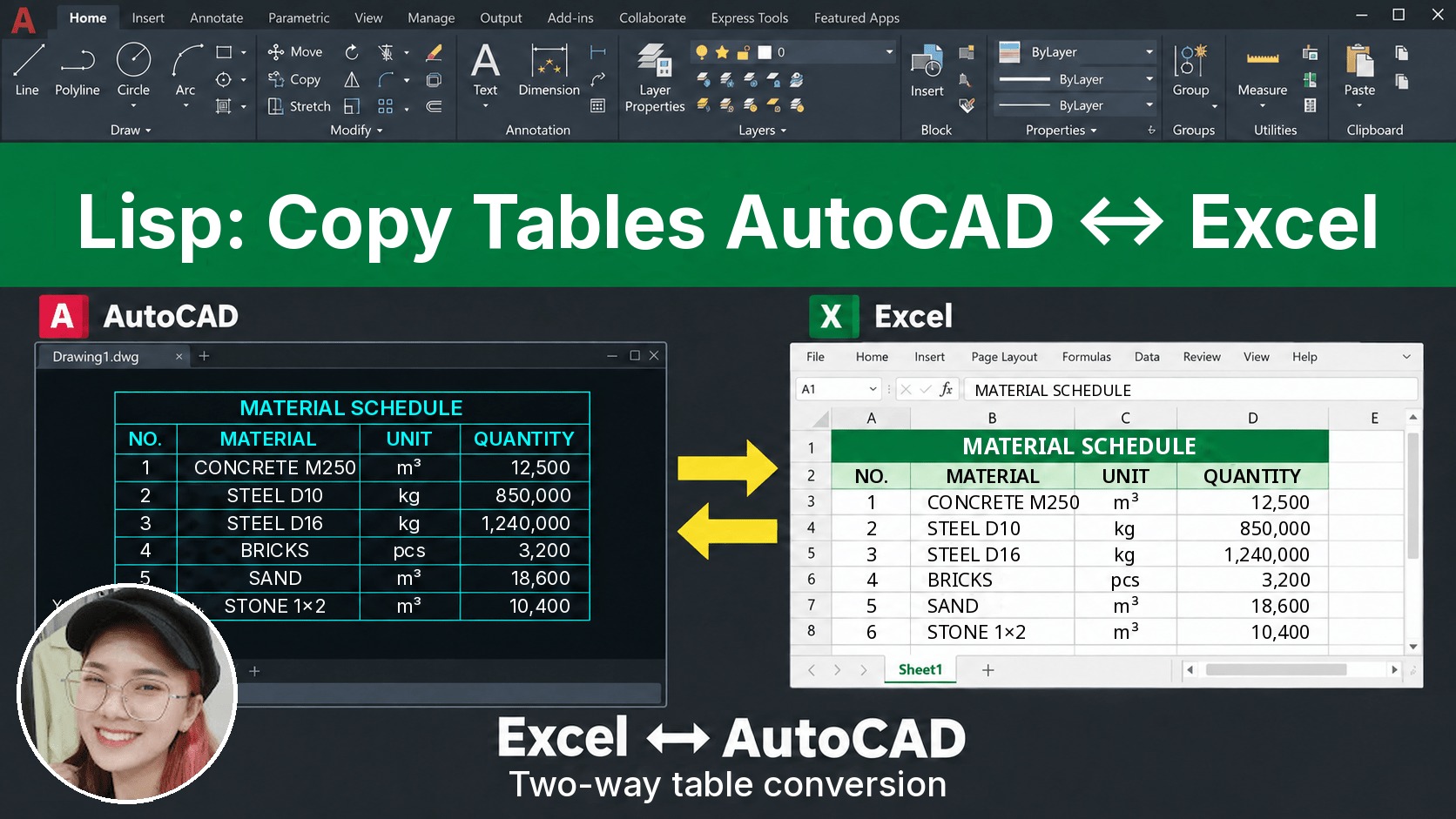 [D2X] Copy/Convert Tables Between AutoCAD & Excel$25 $10View now
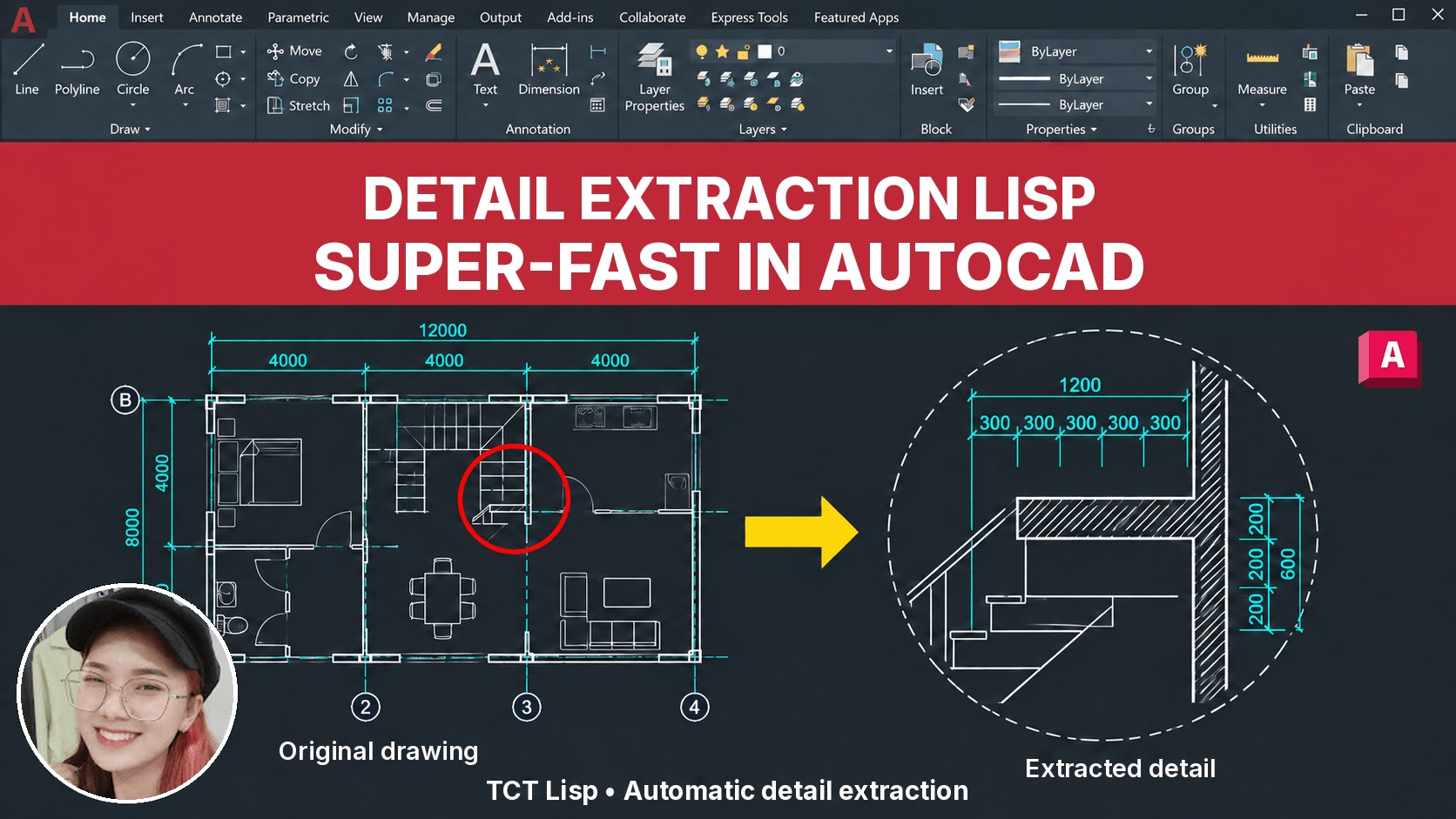 [TCT] Detail Extraction$25 $10View now
_____________________________________
🔥 PRACTICAL PROFESSIONAL AUTOCAD COURSE A-Z:
Learn tips, tricks, lisp and the right mindset to draw fast and manage your drawings professionally. After finishing the course, you’ll be able to produce any drawing you want.
👉 Tuition: $69
👉 Course information: https://vuhienhau.com/en/course/become-a-cadman/
👉 Enroll via our Facebook Fanpage: https://facebook.com/VuHienAcademy or WhatsApp: +84359864135