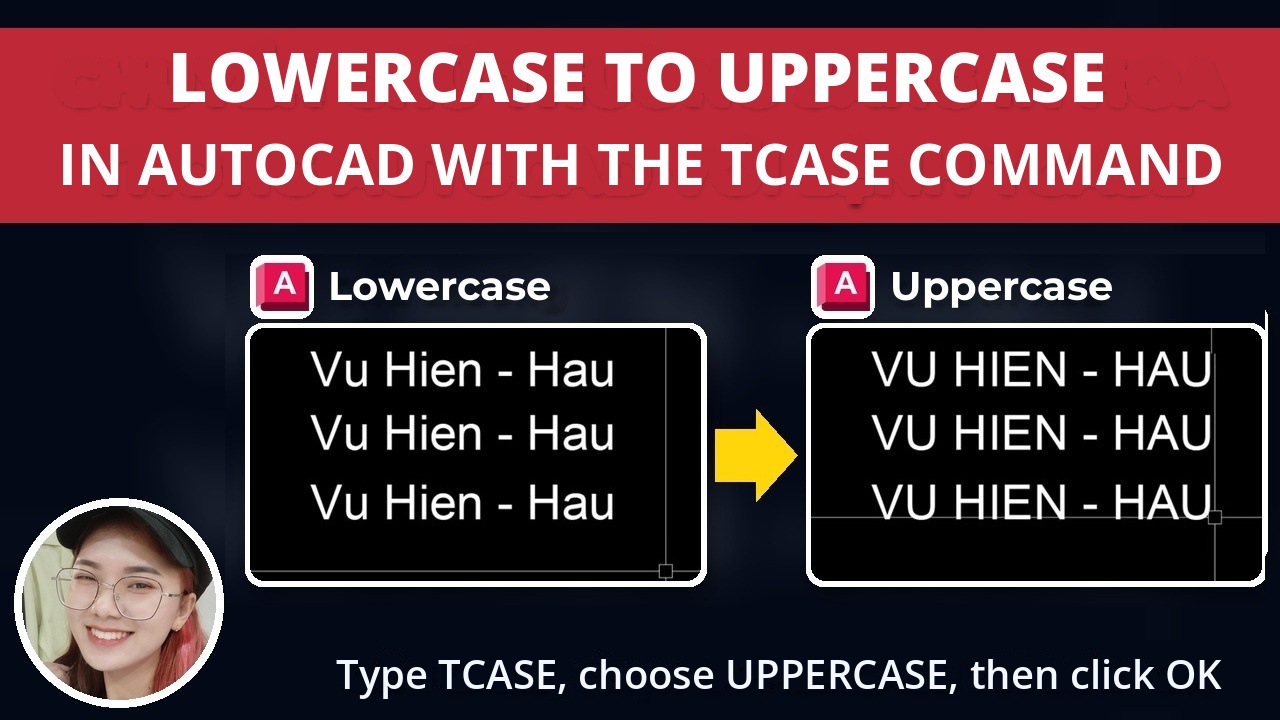
Want to convert lowercase text to uppercase in AutoCAD without retyping every line? Just use the TCASE command and you can change a whole batch of text in seconds. Here’s a step-by-step demo below.
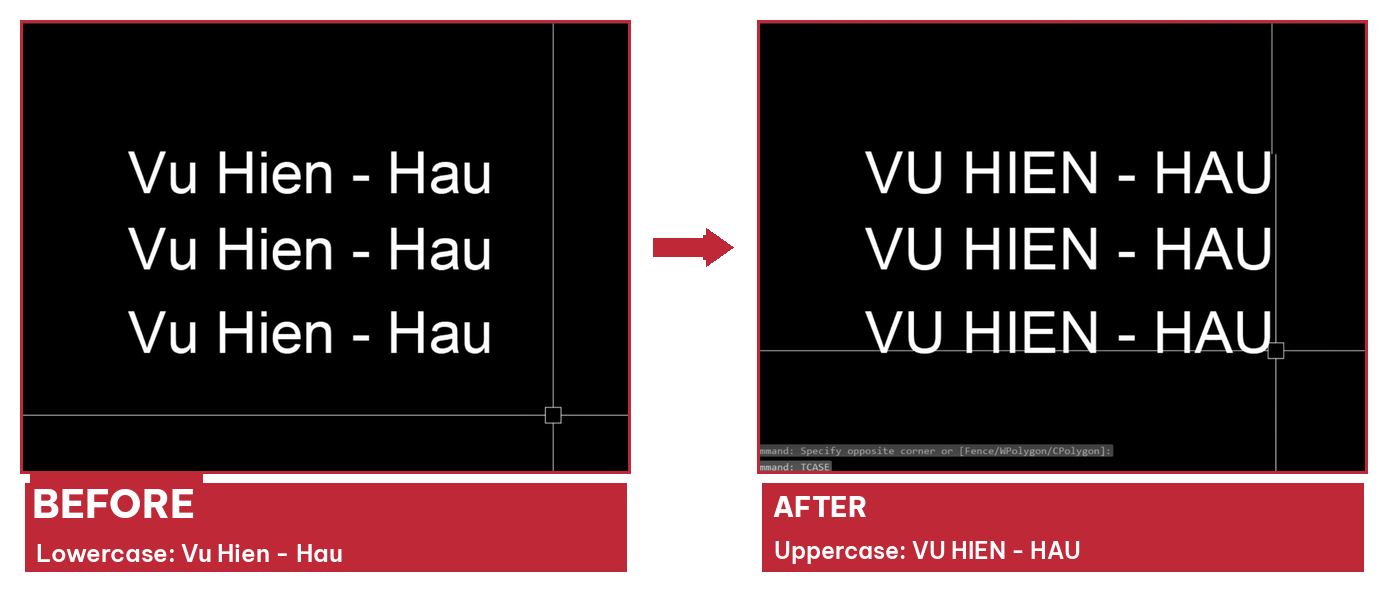
I. Convert lowercase to uppercase with the TCASE command
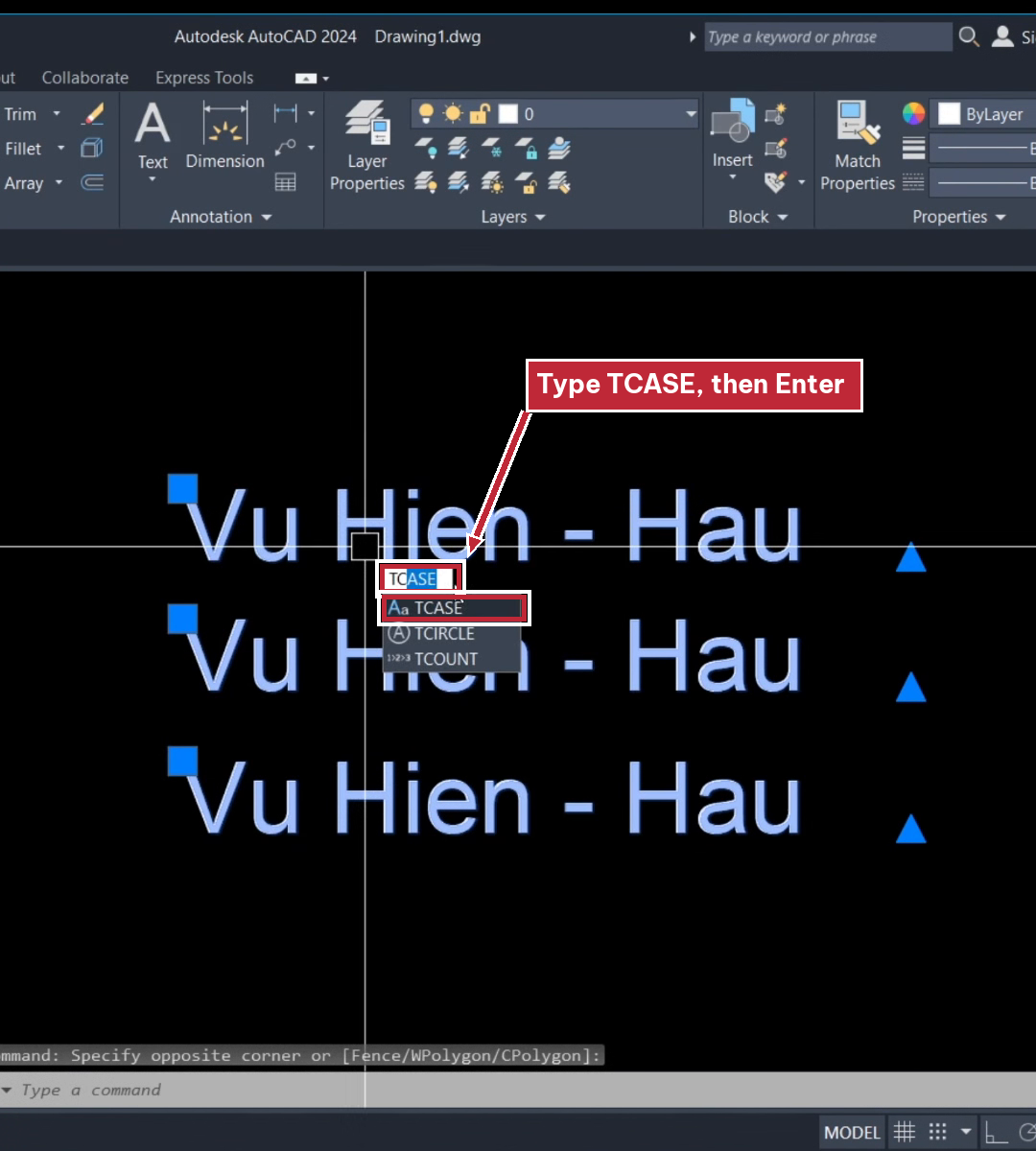
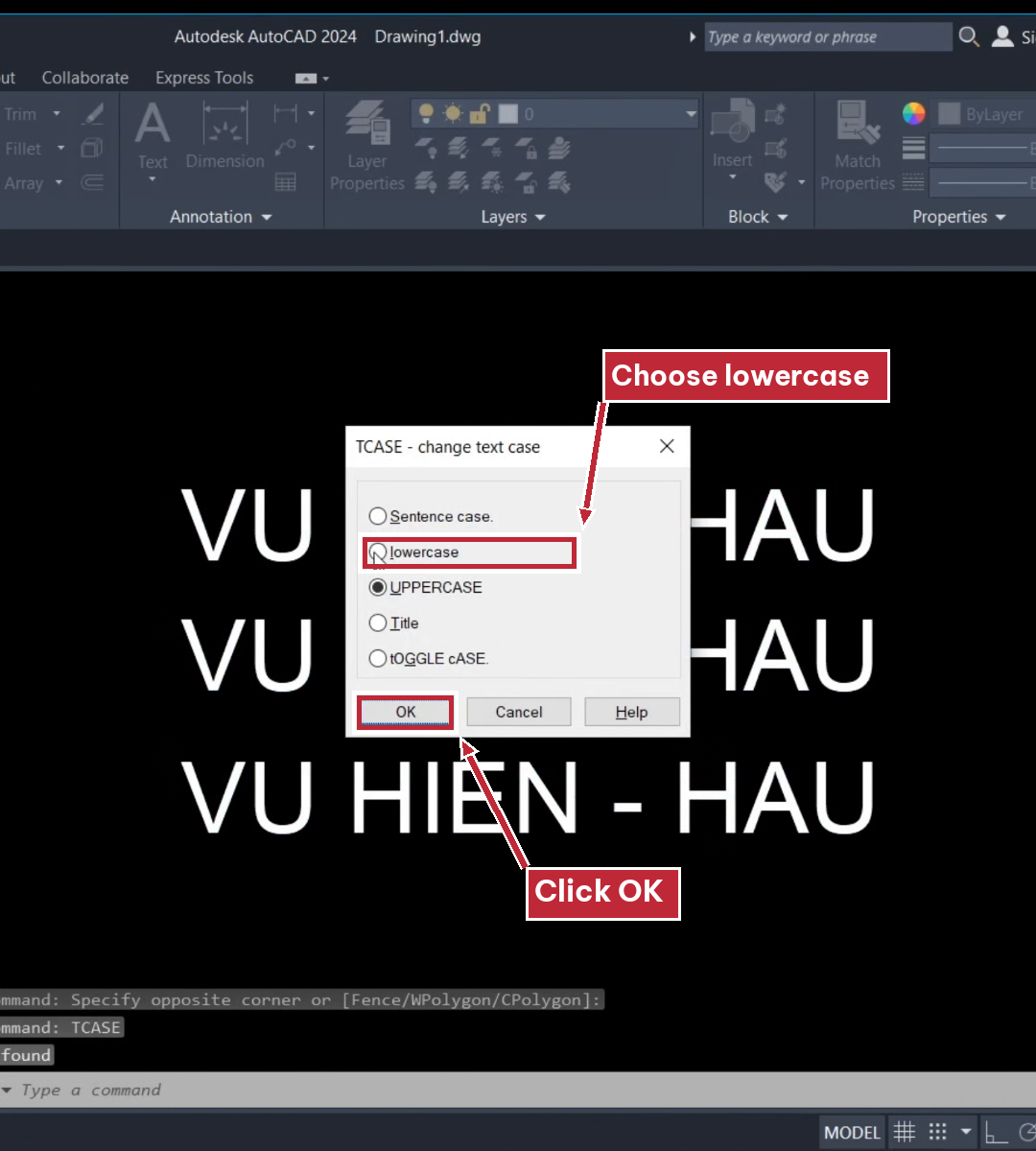
Step 1: Window-select the lines of text you want to change, then type the command TCASE and press Enter.
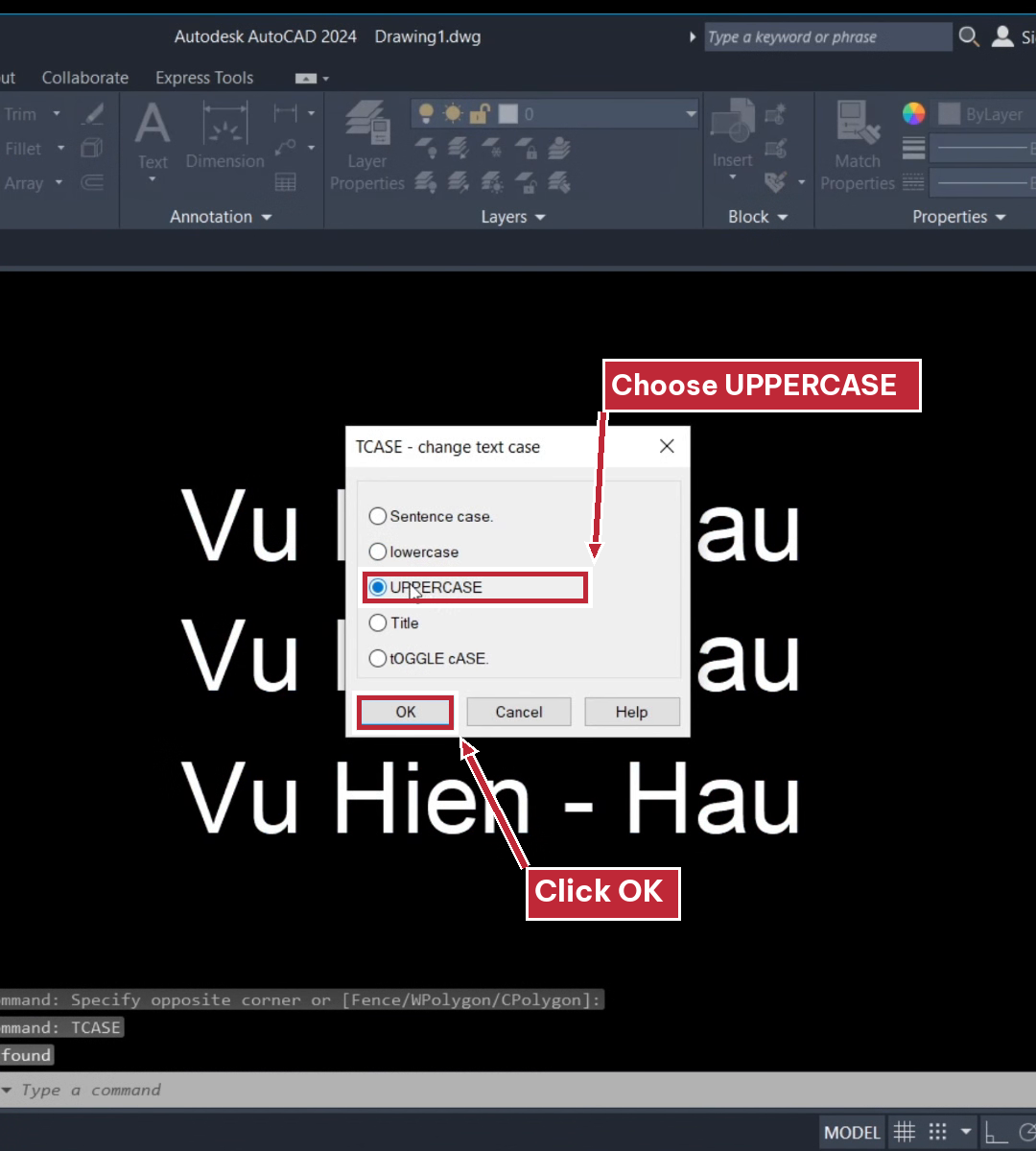
Step 2: The TCASE – change text case dialog appears. Choose UPPERCASE and click OK.
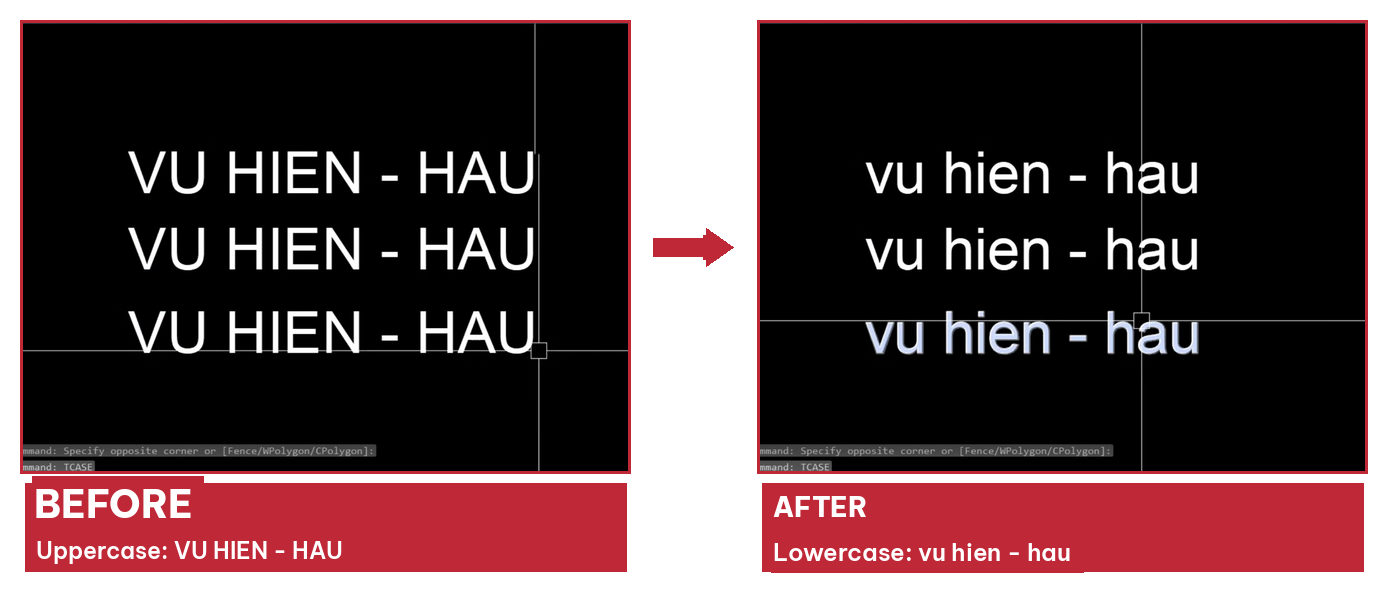
And all the Vu Hien – Hau text has changed to VU HIEN – HAU.
II. Convert uppercase back to lowercase
To switch it back, do exactly the same: select the text, type TCASE, press Enter, then choose lowercase and click OK.
III. A few notes on the TCASE command
The TCASE command is part of AutoCAD’s Express Tools, so if Express Tools isn’t installed on your computer, the command won’t run. Besides UPPERCASE and lowercase, the dialog also offers Sentence case (capitalize the first letter of each sentence), Title (capitalize the first letter of each word) and tOGGLE cASE (swap upper and lower case), so you can choose whichever you need.
If you’re new to AutoCAD, see my roundup of basic AutoCAD commands & shortcuts: https://vuhienhau.com/en/basic-autocad-commands-and-shortcuts-for-beginners/
See my other AutoCAD posts: https://vuhienhau.com/en/category/autocad-en/
Good luck!
Detailed video tutorial:
Watch the video on Facebook 👉 https://www.facebook.com/reel/712611371120475
If you found this article helpful, you can support me by buying the Complete AutoCAD Resource Pack. It includes books, libraries, fonts, hatches, lisp, templates, sample projects, ISO standards and more, which I’ve put together and curated from my years of teaching and real-world work. Price: $15. Buy and pay at this link: 👉https://vuhienhau.com/en/san-pham/complete-autocad-resource-pack/
You May Also Like:
 Complete AutoCAD Resource Pack$15View now
 [D2P] Batch Plot$25 $10View now
 [ATOC] Auto Drawing List$25 $10View now
 [TCT] Detail Extraction$25 $10View now
 BECOME A PROFESSIONAL AUTOCAD USER$109 $69View now
 [QD] Fast Dimensioning$25 $10View now
 [D2X] Copy/Convert Tables Between AutoCAD & Excel$25 $10View now
_____________________________________
🔥 PRACTICAL PROFESSIONAL AUTOCAD COURSE A-Z:
Learn tips, tricks, lisp and the right mindset to draw fast and manage your drawings professionally. After finishing the course, you’ll be able to produce any drawing you want.
👉 Tuition: $69
👉 Course information: https://vuhienhau.com/en/course/become-a-cadman/
👉 Enroll via our Facebook Fanpage: https://facebook.com/VuHienAcademy or WhatsApp: +84359864135