
COOHOM PRO PRICING:
- $7.38 for a single month (Coohom Pro 1 month costs $26.36; enter code VUHIENHAU and it drops to $7.38; pay by QR code)
- $102.58/year (if you add a Visa card) or about $123.10/year (if you pay by QR code)
COOHOM ELITE PRICING:
- $41.74 for a single month (if you add a Visa card), $46.99/month (if you pay by QR code)
- $430/year (if you add a Visa card) or about $455.75/year (if you pay by QR code)
You can see the detailed pricing here 👉 https://coohom.pxf.io/c/5045987/1793325/21254
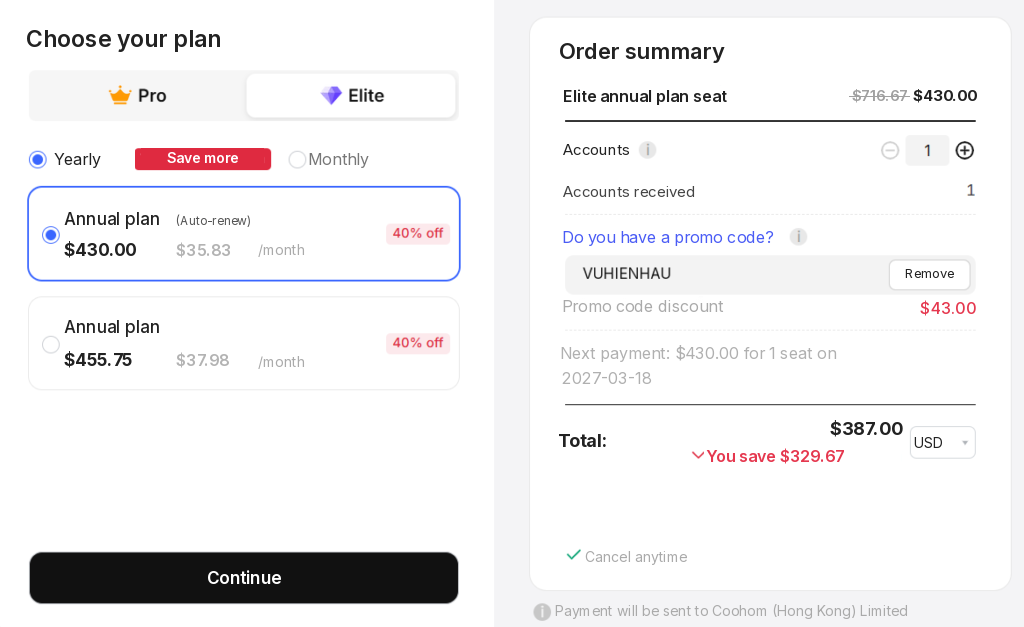
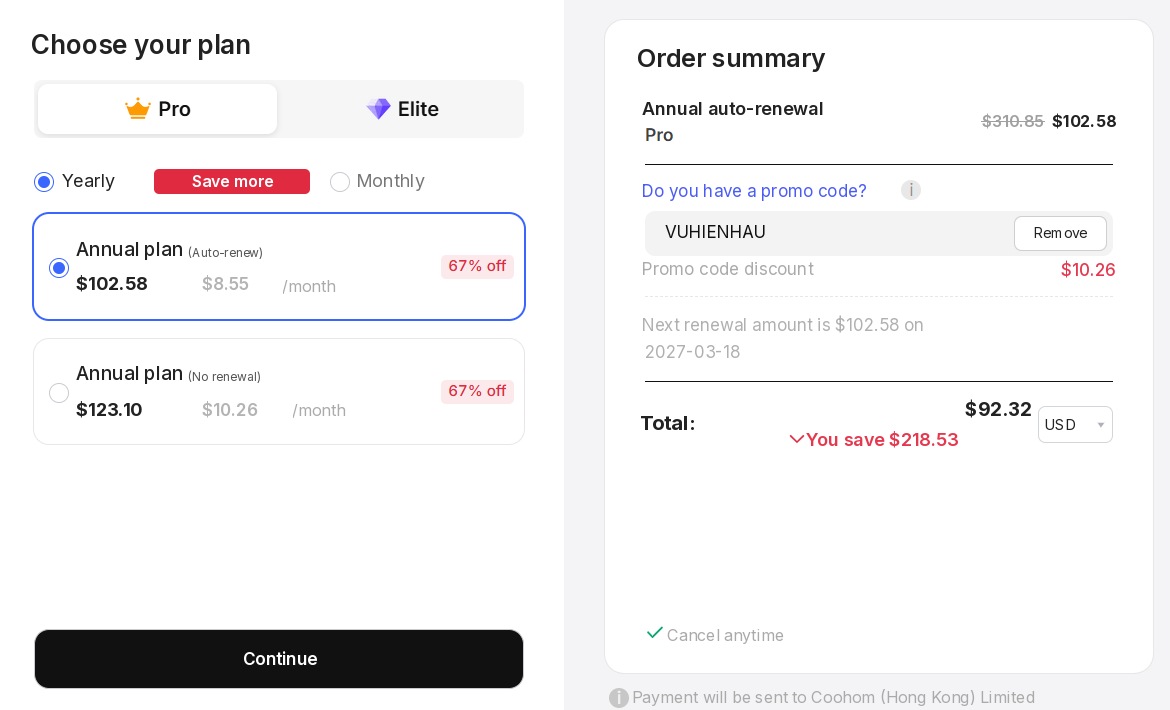
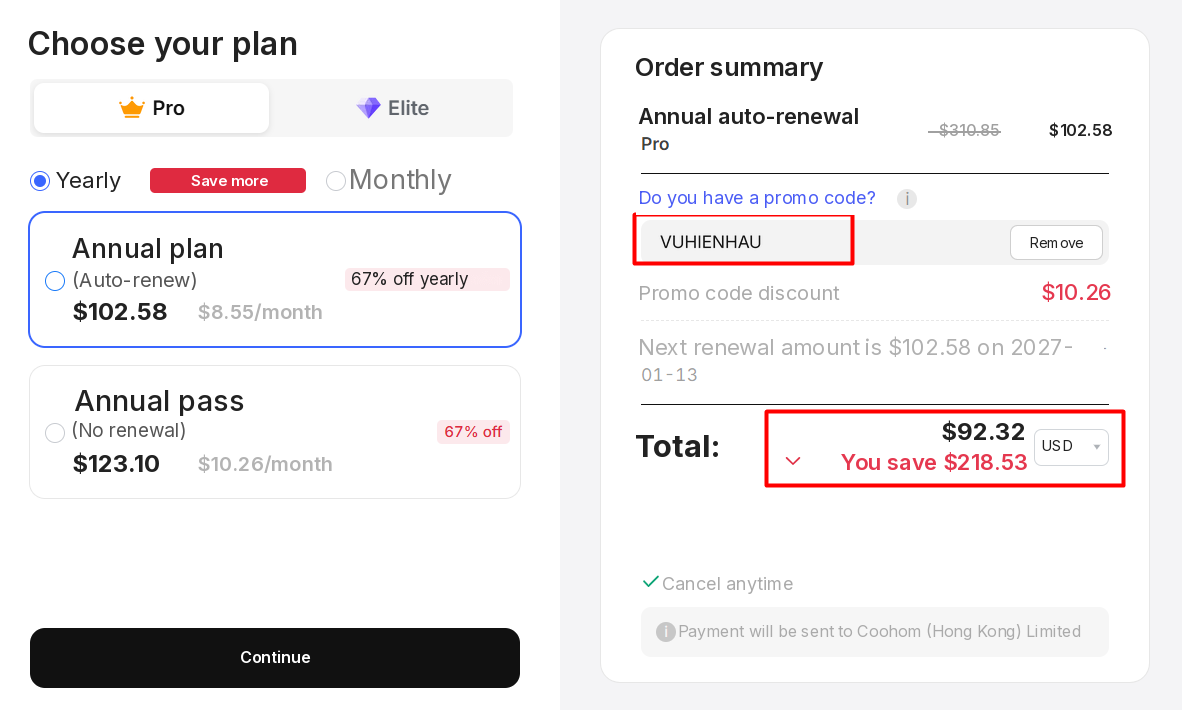
You can see that after applying the discount code VUHIENHAU, the cost is 10% lower. Remember to apply the code to get the lowest cost ^^
What is the VUHIENHAU code for?
VUHIENHAU is a Coohom promo code for you when you buy the Coohom Pro or Coohom Elite plan. When you enter the code, the total you pay is 10% lower than the already discounted price on Coohom’s sales page.
For example, in the 2 images above (prices shown in USD):
- Coohom Pro 1-month plan: $26.36, which becomes $7.38 after applying the code VUHIENHAU (you save $18.98, about 72%).
- Coohom Pro yearly plan: $102.58, which becomes $92.32 after applying the code VUHIENHAU.
- Coohom Elite yearly plan: $430, which becomes $387 after applying the code VUHIENHAU.
Prices may change over time and with the exchange rate, so check the exact amount on Coohom’s checkout screen.
How to buy Coohom Pro or Elite and enter the code VUHIENHAU
Step 1: Open my discounted purchase link 👉 https://coohom.pxf.io/c/5045987/1793325/21254, then sign up or log in to your Coohom account.
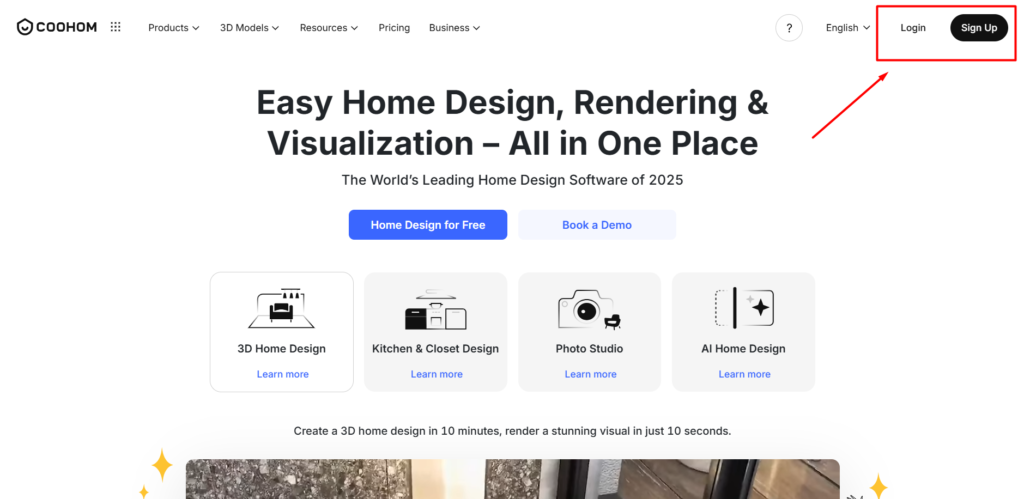
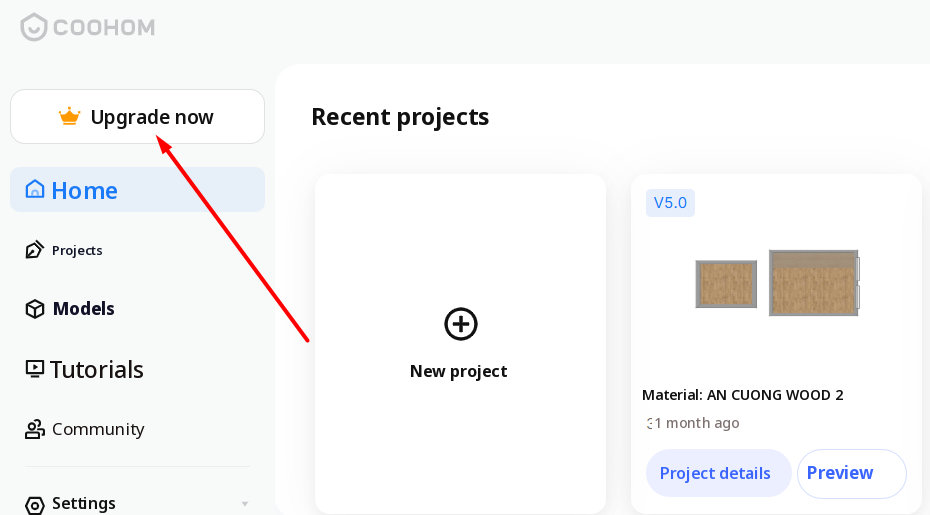
Step 2: In the top right corner, click the language icon and choose the language that’s easiest for you to read. Then click the Upgrade now button.
Step 3: In the Choose your plan panel, choose the Pro or Elite plan, then choose the term that suits you.
- Monthly/yearly subscriptions require a Visa/Mastercard.
- For 1 month/1 year, you can pay by scanning a QR code for a bank transfer.
Monthly/yearly subscriptions cost less. Buying yearly usually saves more than buying month by month.
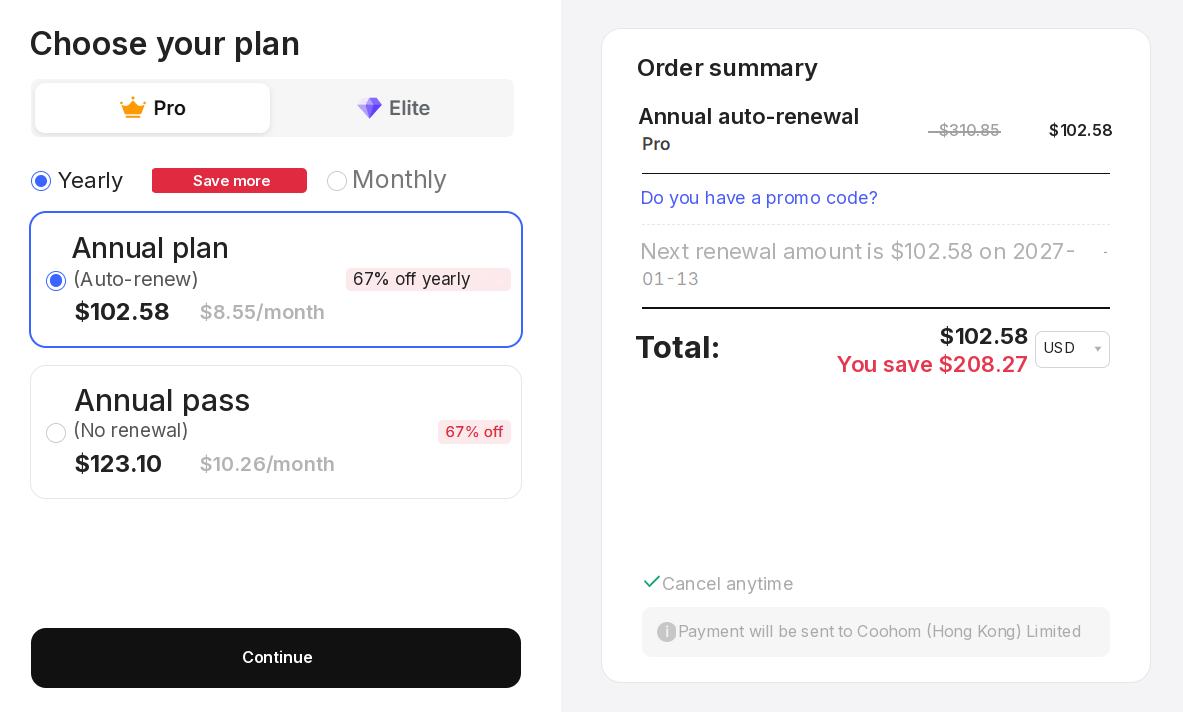
Step 4: In the Order total section, click the Do you have a promo code? line, enter VUHIENHAU and apply it. Check that the Promo code discount line and the Total have gone down, then click Continue to pay.
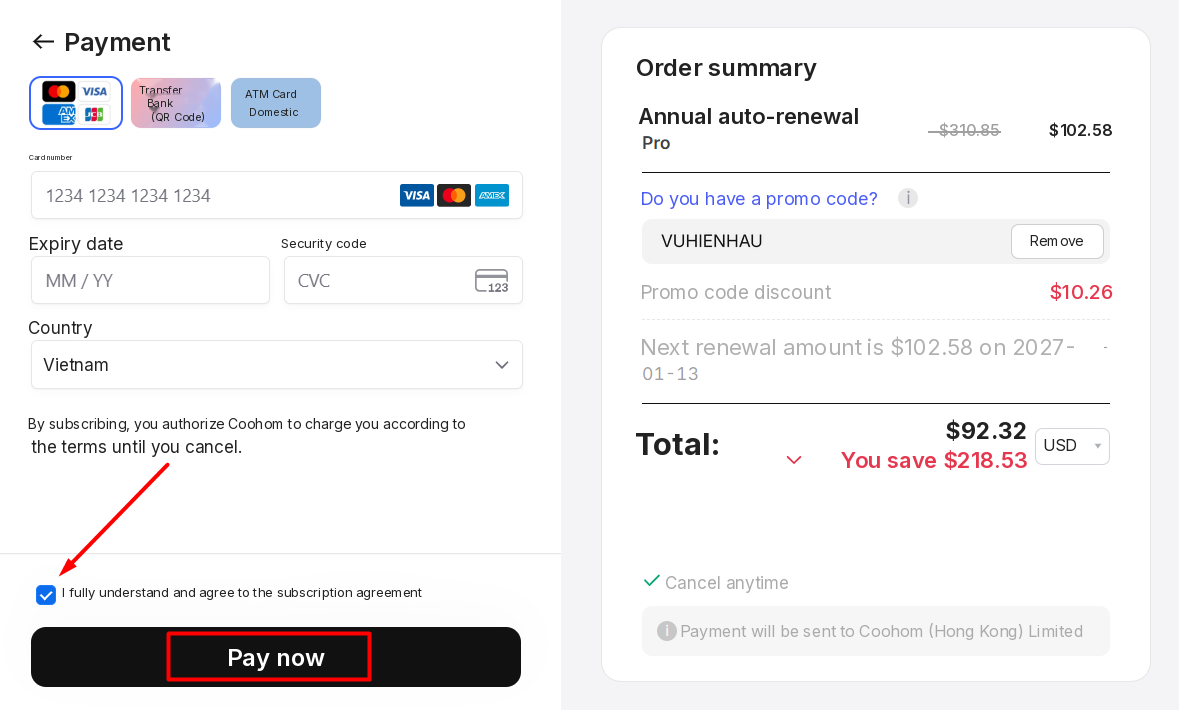
Step 5: Enter your payment method. Then tick I fully understand and… and click Pay now to finish!
🎬 Watch the Coohom Pro upgrade video tutorial on Facebook: https://www.facebook.com/share/r/1E3JYLevj6/
Video tutorial on buying Coohom
Don’t have a Visa card, or living abroad?
See also the step-by-step buying guide 👉 How to buy Coohom Pro at a discount
👉 Many of you don’t have a Visa card or are abroad and can’t buy at the low prices above. In that case, I can help you buy Coohom Pro for $102.58/year and Coohom Elite for $430/year. Contact me through the fanpage: https://facebook.com/VuHienAcademy or WhatsApp: +84359864135
Check out my Coohom course below:
You May Also Like:




_____________________________________
🔥 COOHOM COURSE – BASIC + ADVANCED + RENDERING:
Learn presentation rendering and 3D modeling for both interiors and exteriors. Design a complete house by the time you finish the course.
👉 Tuition: $69
👉 Course information: https://vuhienhau.com/en/course/advanced-coohom/
👉 Enroll via our Facebook Fanpage: https://facebook.com/VuHienAcademy or WhatsApp: +84359864135